Plans that include room time
Set what a plan comes with — two hours of meeting room, ten, or none. Allowances reset on each member's own billing day, not on the 1st of the month.
Keyway keeps your members and their plans, the rooms and desks they book, the invoices that follow, and which doors they may open. It runs on your own server, and the price does not change when you sign another member.
The demo's sign-in page has one-click accounts for the installation owner and two made-up coworking businesses. It is shared, so please don't enter real data.
A member, a room booked half an hour past what her plan includes, the invoice side, door access, the member's own portal and the owner's view of every business on the server. No sound; captions are burned in.
Captured from the demo at keyway.webkodingtheme.com/app in November 2026. The booking made on camera was cancelled afterwards.
Server-rendered pages with no front-end framework. The data is the demo's made-up Northgate Works, captured the day this page was built.
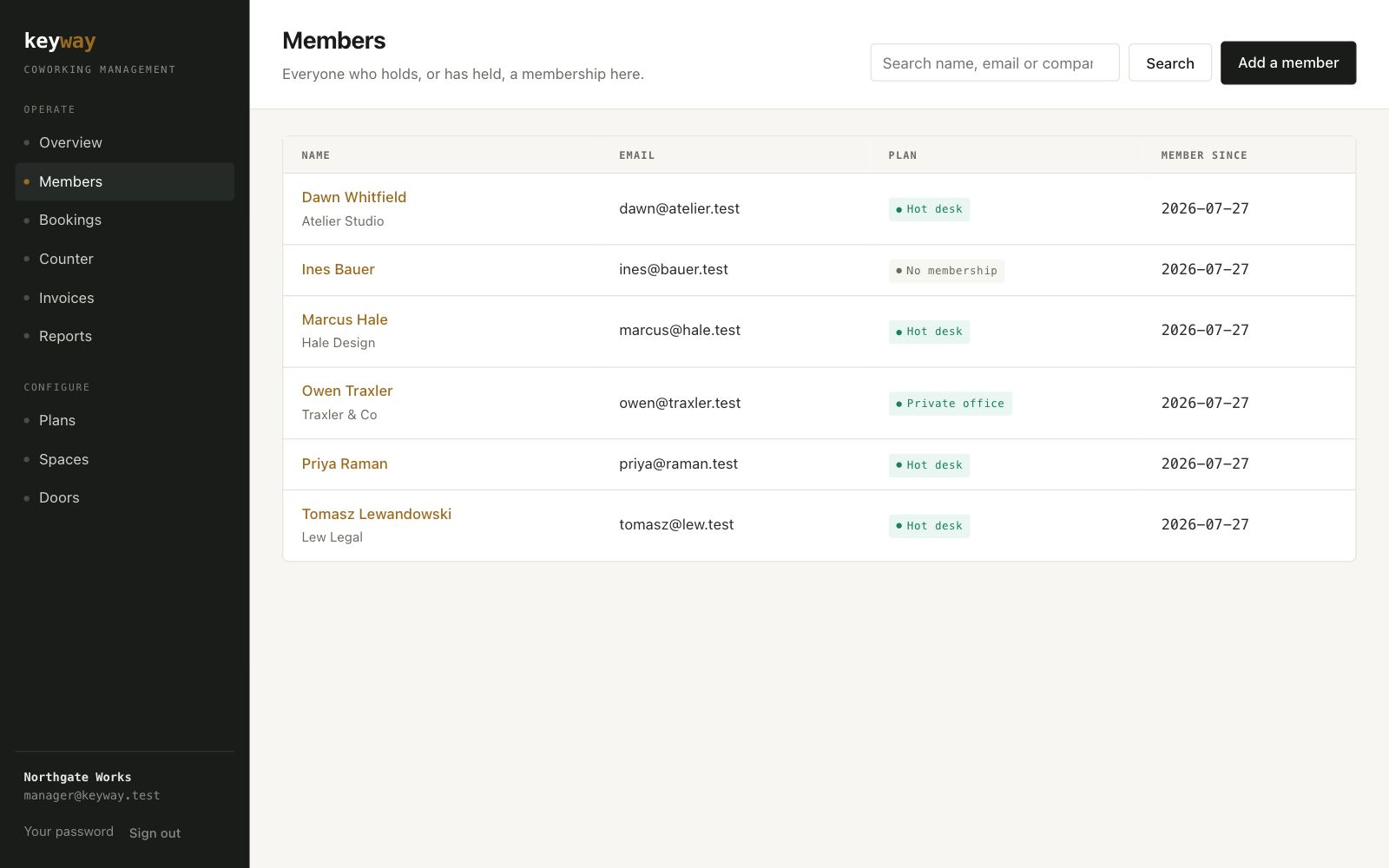
Everyone who holds or has held a membership, searchable by name, email or company.
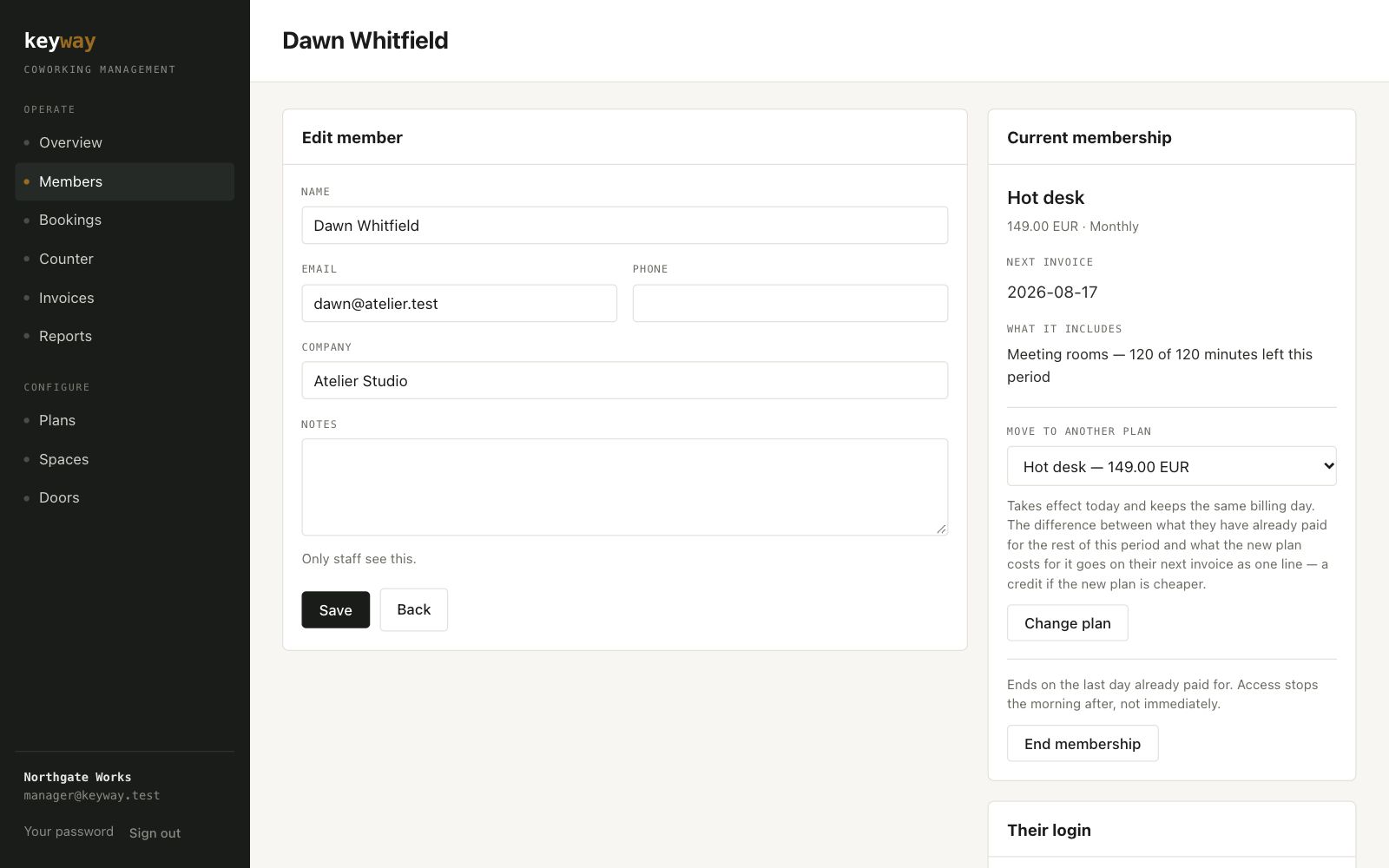
The membership sits beside the details: next invoice date, included time left this period, a plan change (the difference is prorated onto the next invoice) and an end date that covers the period already paid for.
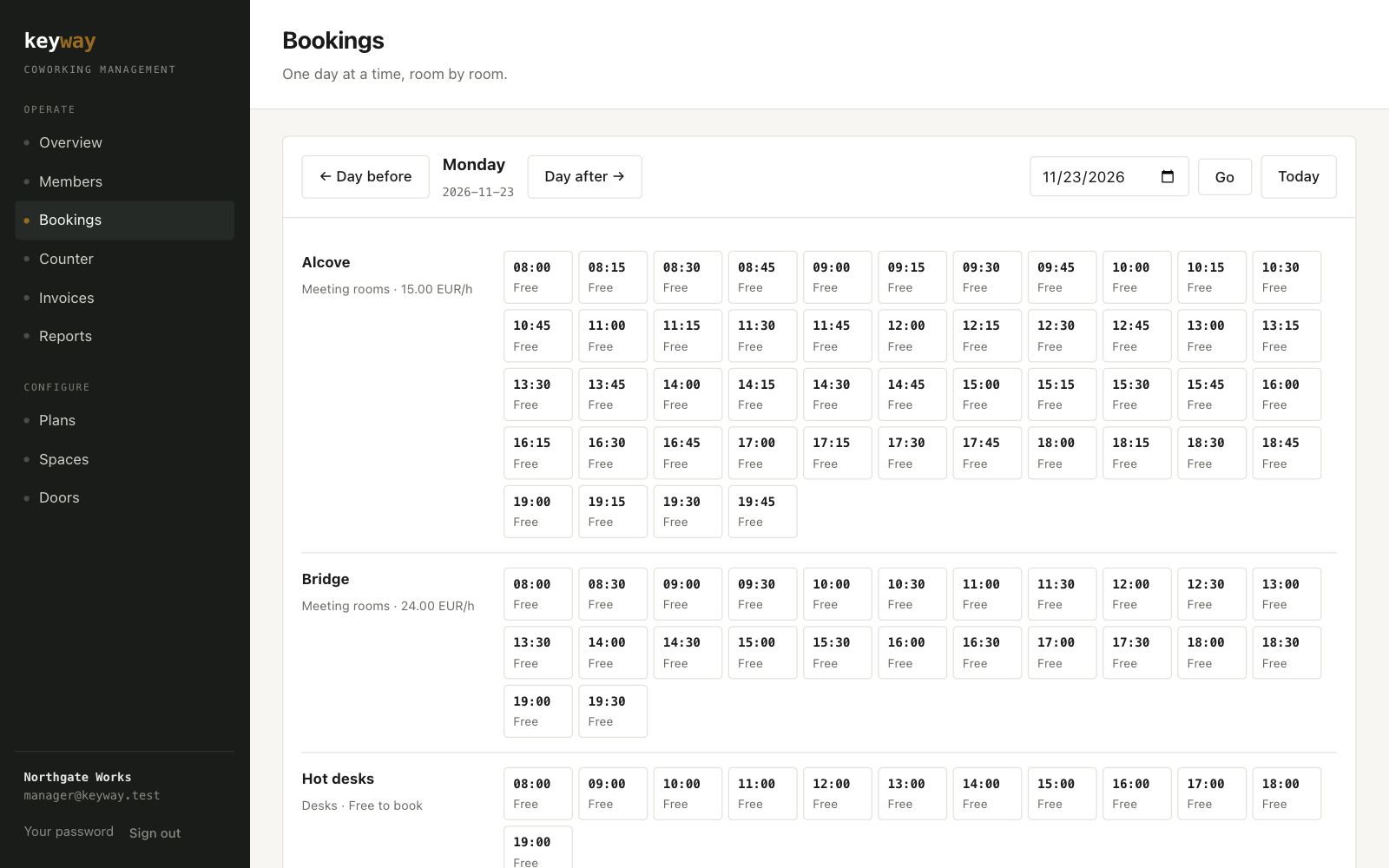
One day, room by room, in each room's own slot length and opening hours. Two bookings that overlap on one room are refused by a database constraint, not just by the form.
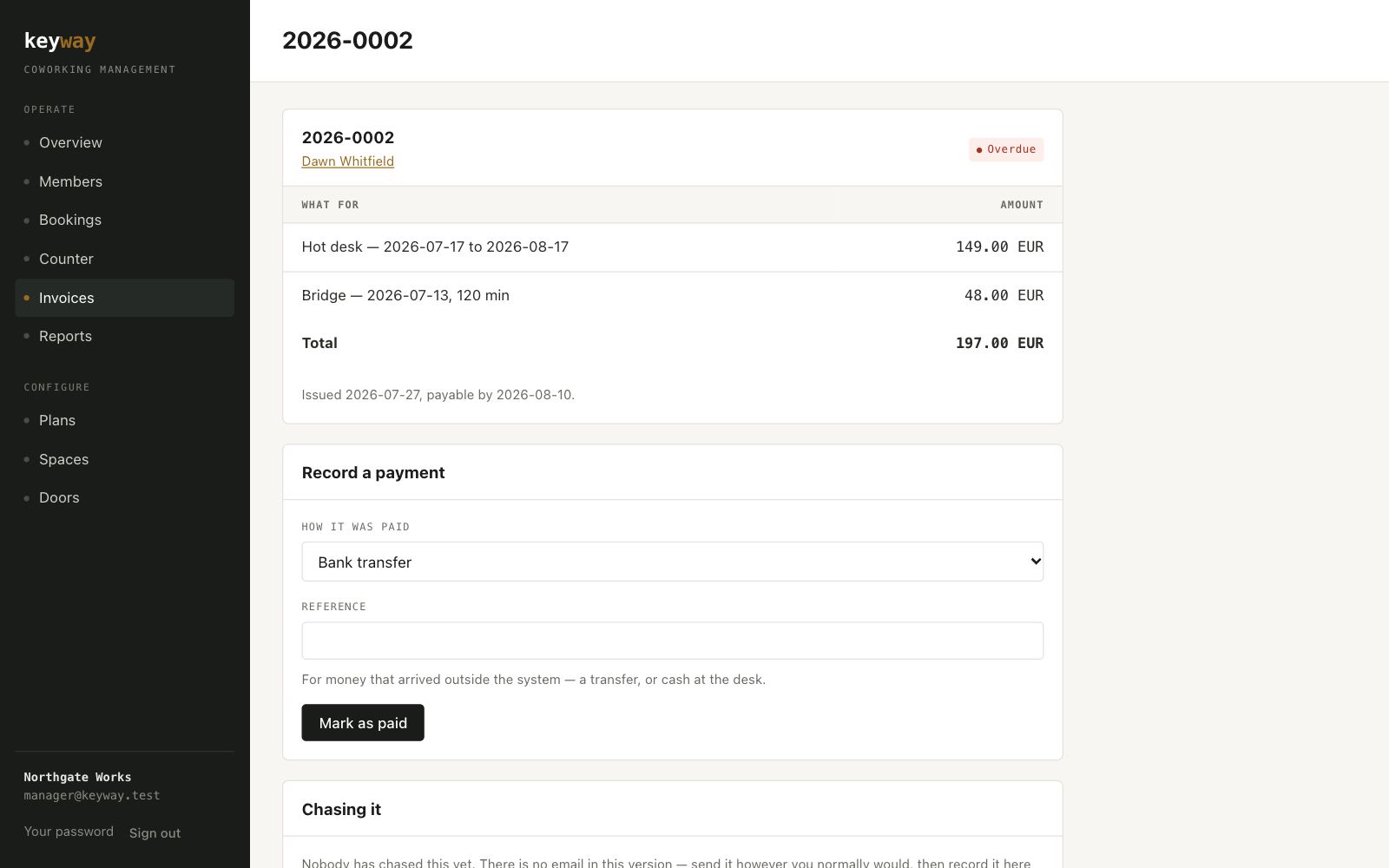
Each line names what produced it. Record a transfer or cash payment, note that you chased it, or write it off without breaking the number series.
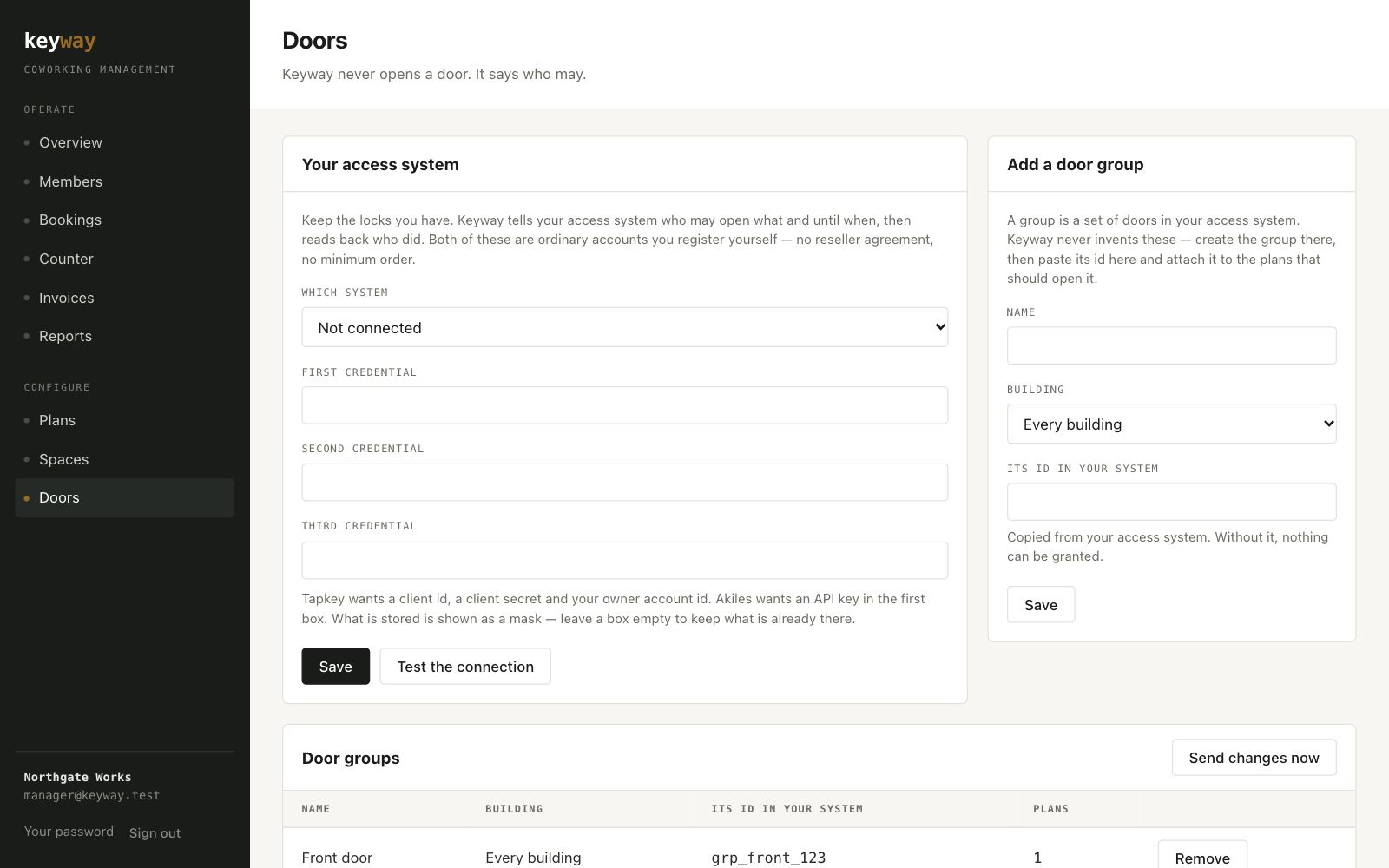
Connect Tapkey or Akiles, name the door groups that already exist there, and attach them to plans. In the demo no access system is connected.
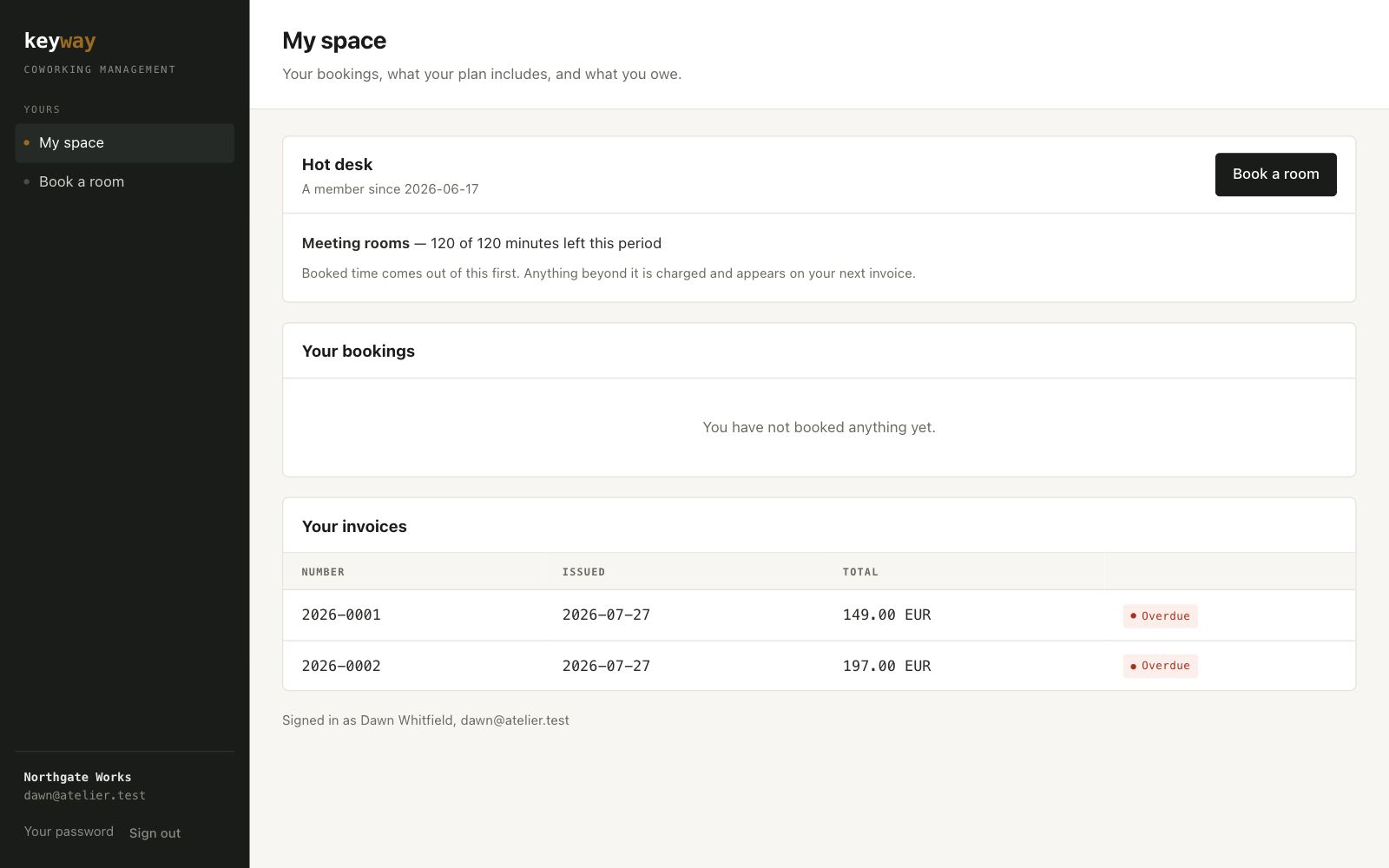
Members you give a login see their plan, the included time left, their bookings and invoices, and book rooms from the same free slots the desk sees.
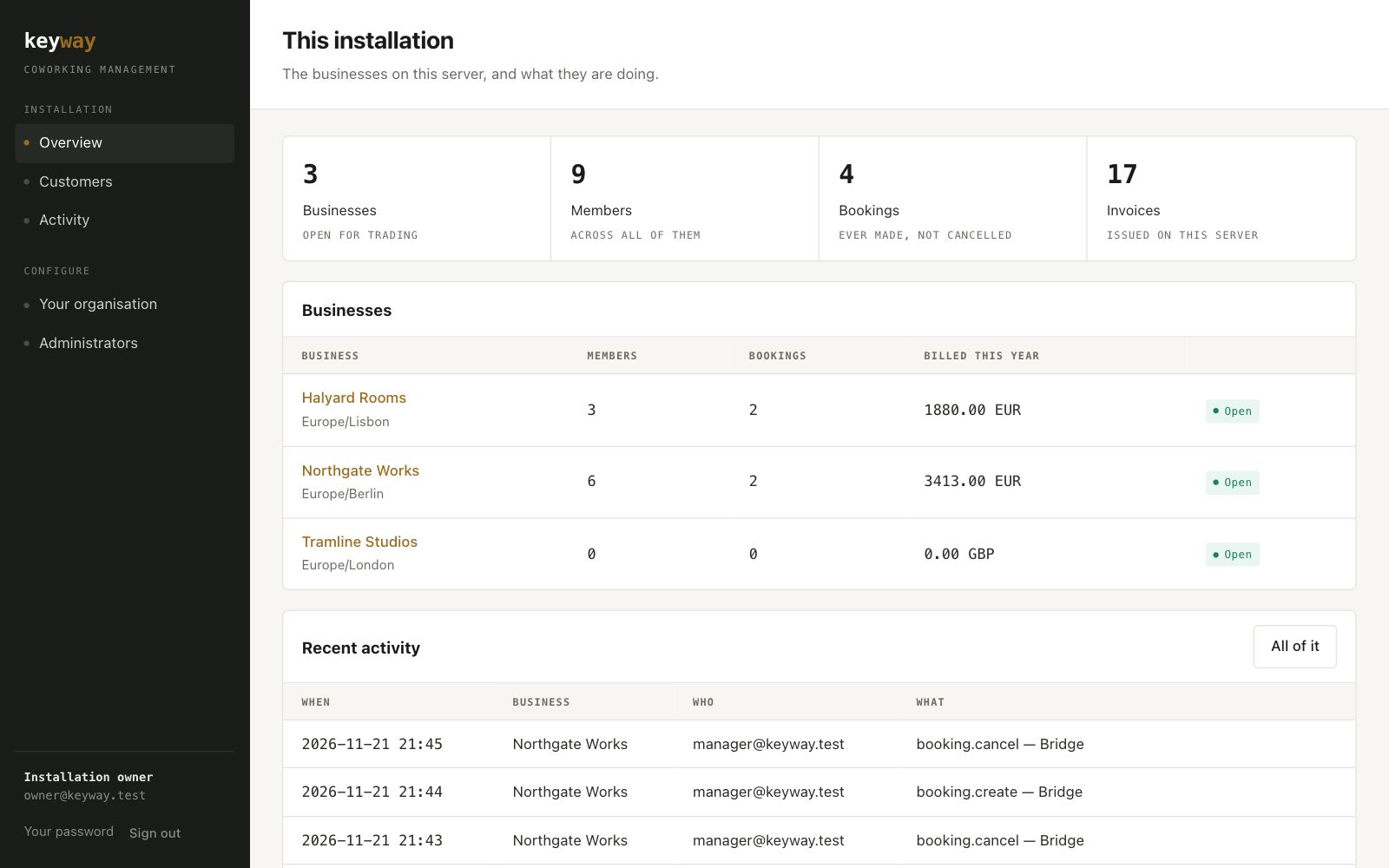
The installation owner sees each business on the server and an activity log, but not any business's members. Each manager sees only their own business.
Each of these is in the 1.0 code and in the demo. What is not in 1.0 is listed further down.
Set what a plan comes with — two hours of meeting room, ten, or none. Allowances reset on each member's own billing day, not on the 1st of the month.
Each room has a rate, a slot length and, if it differs from the building, its own opening hours — including a lunch break. Staff book for members; members book for themselves.
A daily job issues invoices for every membership that has reached its billing day, with room charges and counter sales on the same invoice, and your tax rate on each line.
Sell to a member, and it joins their next invoice; sell to somebody at the door, and it is invoiced on the spot. No member record needed for a day pass.
Revenue by month, how full the rooms are against their open hours, who turned up through the door, and CSV exports of invoices, bookings and members.
Node 20, PostgreSQL and three npm dependencies. No telemetry and no licence check that phones home. Several businesses can share one installation, each sealed off from the others.
Keep the locks you have. Keyway tells your access system who may open which doors and until when, then reads back who did.
These are absent, not hidden behind a setting or a higher tier. If one of them is how your space runs, Keyway is not a fit yet.
The installer is a plain shell script you can read before running. It installs PostgreSQL and nginx from Ubuntu's repositories and Node 20 from NodeSource's signed apt repository (key fingerprint checked, nothing piped into a shell), creates the database, registers the service and its two scheduled jobs, and prints the first password.
$ sudo bash scripts/install.sh yourdomain.com

  Installing PostgreSQL and nginx
  Installing Node 20
  Creating the database
  …

  Keyway is running.

    Address    http://yourdomain.com/app
    Sign in    admin@yourdomain.com
    Password   (printed once; you change it on first sign-in)

  Next:
    - Point a certificate at it:  certbot --nginx -d yourdomain.com
    - Add your first business from the administrator screens.
Run it on a new server: it creates the keyway database from
scratch, and on a server that already has one it stops without touching it and shows the
update steps instead. Starting over is an explicit --fresh that asks you to
type the database name first. Full documentation ships as a single HTML file in the download and is also on
webkodingtheme.com/docs/keyway.
Sold directly by WebKoding through Paddle, which acts as merchant of record: Paddle issues the invoice, handles VAT and processes refunds. The licence key and download link arrive by email after payment.